Is your projector not working properly? Before spending money on a new projector
or an expensive repair, read this guide. Many common projector problems have simple
DIY fixes that take less than 10 minutes — no technical expertise required.
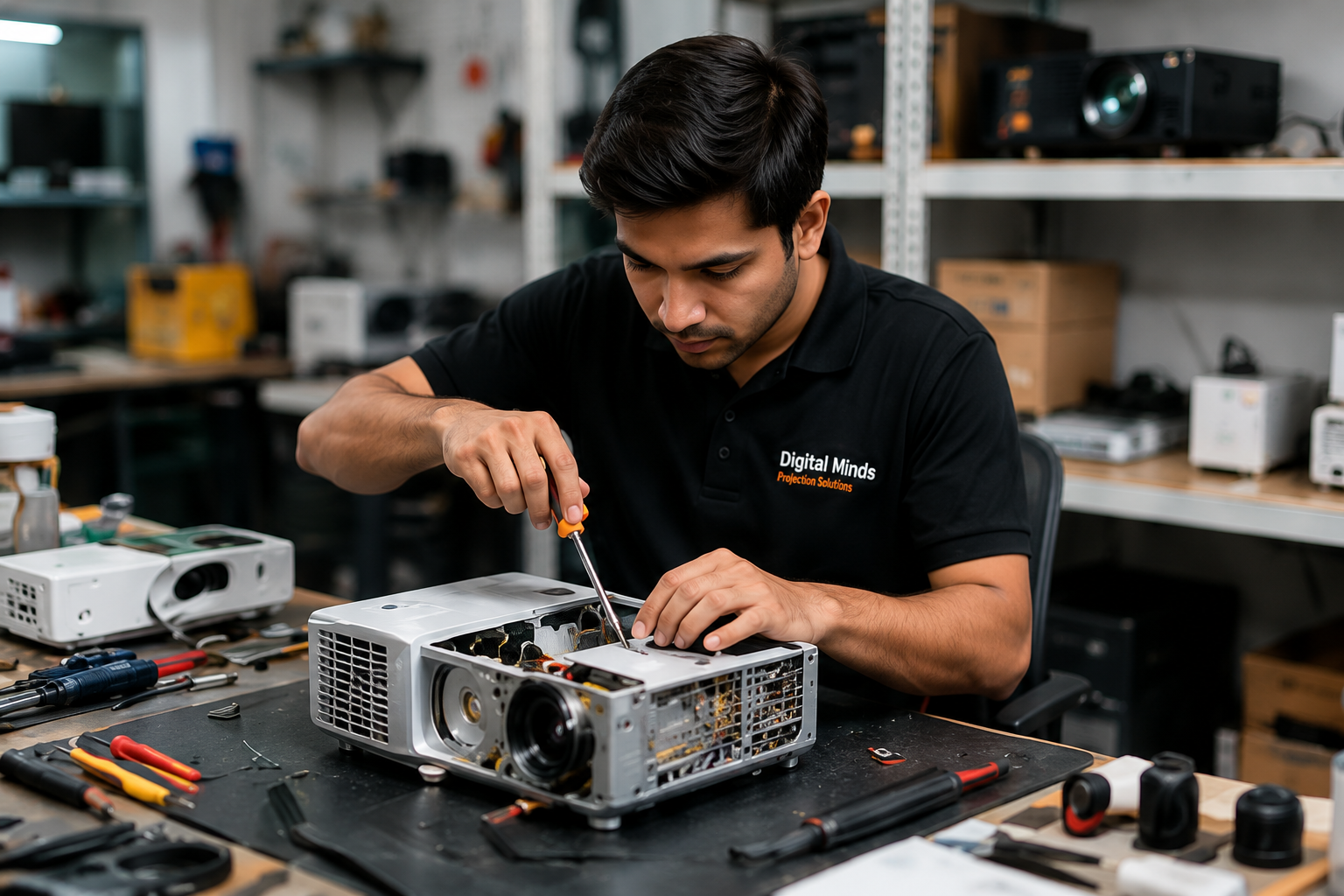
At Digital Minds India we have repaired over 1,000 projectors across all major
brands — Epson, BenQ, Sony, Optoma, Panasonic, Hitachi, Acer, Dell and NEC. In
this expert repair guide we cover the 8 most common projector problems, their
likely causes, and exactly what to do — step by step.
Before You Start — Basic Projector Troubleshooting Checklist
Before diagnosing any specific problem, run through this quick checklist —
it resolves 30% of projector issues instantly:
- ✅ Power cable securely connected at both ends
- ✅ Power socket working — test with another device
- ✅ Remote control batteries fresh — replace if in doubt
- ✅ Correct input source selected on projector
- ✅ HDMI / VGA cable firmly inserted at both ends
- ✅ Source device (laptop, phone, set-top box) powered on
- ✅ Projector not in standby mode — press power button firmly
- ✅ Projector vents not blocked — needs 20cm clearance on all sides
If the problem persists after checking all of the above — move to the
specific problem section below.
Common Projector Problem 1 — Projector Not Turning On
Symptoms
- No response when pressing power button
- Power light not coming on
- Projector completely dead
Likely Causes & Fixes
Cause 1 — Power supply issue: The most common cause
of a projector not turning on is a failed power supply board. This is
an internal component that cannot be replaced at home — professional
repair is required.
Cause 2 — Lamp failure: If the lamp has completely
failed, many projectors refuse to start. Check the lamp indicator light
— if it is red or flashing, the lamp needs replacement. Browse our
projector lamp range to find the right replacement for your model.
Cause 3 — Thermal cutout triggered: If the projector
overheated in a previous session it may have triggered a thermal
protection cutout. Leave it unplugged for 30–45 minutes to cool
completely — then try again.
Cause 4 — Remote control issue: Try pressing the
power button on the projector body directly — not the remote. If
this works, the issue is with the remote not the projector. Replace
the remote batteries or buy a
replacement remote for your projector brand.
When to seek professional repair: If none of the
above fixes work, the power supply board or main control board has
likely failed. This requires component-level repair by a qualified
technician. Contact our
projector repair service for a free diagnosis.
Common Projector Problem 2 — No Display / Blank Screen
Symptoms
- Projector powers on — fan runs — but no image on screen
- Completely black output
- Blue screen with “No Signal” message
Likely Causes & Fixes
Cause 1 — Wrong input source selected: The most
common cause. Press the Source or Input button on your projector
remote and cycle through HDMI 1, HDMI 2, VGA, USB until you find
the active input.
Cause 2 — HDMI cable or port issue: Try a different
HDMI cable. Try a different HDMI port on the projector. Try connecting
a different source device. If the image appears — the original cable
or port is faulty.
Cause 3 — Laptop display settings: When connecting
a laptop via HDMI, press Windows key + P and select “Duplicate” or
“Extend”. On Mac press Command + F1 to toggle display mirroring.
Cause 4 — Lamp failure: If the projector powers on
but produces no light at all — not even a faint glow — the lamp has
failed. Replace the lamp.
Cause 5 — DLP chip or LCD panel failure: If all
input sources and cables have been tested and the issue persists,
the DLP chip or LCD panel may have failed. This requires professional
repair. Contact our team on +91 8287463377 for a free diagnosis.
Common Projector Problem 3 — Dim or Faded Image
Symptoms
- Image noticeably darker than before
- Colours look washed out or yellowish
- Difficult to see image even in dark room
Likely Causes & Fixes
Cause 1 — Lamp aging: The most common cause of
dim projection. As lamps age they lose brightness. Check your lamp
hours in the projector menu — if approaching the rated limit,
replace the lamp. Browse our
replacement projector lamps for all major brands.
Cause 2 — Brightness settings reduced: Check your
projector’s Picture Mode setting. Switch from Eco or Movie mode to
Standard or Bright mode and see if brightness improves.
Cause 3 — Dirty lens: Dust on the projector lens
significantly reduces image brightness and sharpness. Clean the lens
gently with a soft microfibre cloth — never use paper or abrasive
materials. Use a lens blower brush for dust in hard-to-reach areas.
Cause 4 — Dirty optical components: Dust inside
the projector on mirrors, prisms or LCD panels reduces brightness.
This requires professional cleaning — contact our
repair service for internal cleaning and servicing.
Common Projector Problem 4 — Projector Overheating &
Auto Shutdown
Symptoms
- Projector turns off automatically after a few minutes
- Temperature warning light on
- Loud fan noise before shutdown
- Hot air from vents
Likely Causes & Fixes
Cause 1 — Blocked ventilation: The most common
cause. Check that all vents on the projector are clear — minimum
20cm clearance on all sides. Never place the projector in a
closed cabinet or box while in use.
Cause 2 — Dusty air filters: Most projectors
have air filters that require periodic cleaning. A clogged filter
prevents adequate airflow causing overheating. Locate the filter
(usually on the side or bottom), remove and clean with compressed
air. Consult your user manual for filter location.
Cause 3 — Failed cooling fan: If the fan has
stopped working or is running slower than normal, the projector
will overheat rapidly. A failed fan requires professional
replacement — contact our repair team.
Cause 4 — High ambient temperature: Projectors
should be used in environments below 35°C. In hot Indian summers,
ensure the room is air conditioned or well ventilated when
using the projector.
Common Projector Problem 5 — Blurry or Out of Focus Image
Symptoms
- Image looks soft or blurry
- Text is not sharp or readable
- Image sharp in centre but blurry at edges
Likely Causes & Fixes
Cause 1 — Focus needs adjustment: For projectors
with manual focus — rotate the focus ring on the lens slowly until
the image sharpens. For Auto Focus projectors — press the Auto
Focus button on the remote.
Cause 2 — Projector not perpendicular to screen:
If the projector is at a significant angle to the screen, parts
of the image will be out of focus even with correct focus settings.
Use Keystone Correction to compensate — or reposition the projector.
Cause 3 — Dirty lens: Clean the lens gently
with a soft microfibre lens cloth. Even a small smudge or dust
particle on the lens can cause noticeable blur.
Cause 4 — Lens element damage: If the lens
has been physically damaged — scratched, cracked or delaminated
— the image will be permanently blurry in affected areas.
Lens replacement requires professional repair.
Common Projector Problem 6 — Colour Problems
Symptoms
- Incorrect or distorted colours
- Green, red or blue tint across the image
- One colour missing entirely
- Rainbow effect visible on screen
Likely Causes & Fixes
Cause 1 — Picture mode or colour settings:
Reset your projector’s colour settings to factory default —
Menu → Picture → Reset. This resolves most software-related
colour issues.
Cause 2 — HDMI cable quality: A poor quality
or damaged HDMI cable can cause colour signal degradation.
Try a different certified HDMI cable.
Cause 3 — Colour wheel failure (DLP projectors):
DLP projectors use a spinning colour wheel. If it fails or slows
down, colours become distorted and a rainbow effect may appear.
Colour wheel replacement requires professional repair.
Cause 4 — LCD panel failure: In LCD projectors,
failure of one of the three LCD panels (red, green or blue)
causes that colour to disappear from the image. Professional
repair or panel replacement is required.
Common Projector Problem 7 — HDMI Port Not Working
Symptoms
- No signal when connecting via HDMI
- HDMI works sometimes but not consistently
- HDMI port feels loose
Likely Causes & Fixes
Cause 1 — Cable issue: Try a different HDMI
cable first. HDMI cables can fail without visible damage. Use
a certified high-speed HDMI cable for best results.
Cause 2 — Source device issue: Test with a
different source device — different laptop, phone or set-top box.
If the new device works, the original device has an HDMI output issue.
Cause 3 — HDMI port damage: If the port feels
physically loose or the cable doesn’t click in firmly, the port
connector has been damaged — usually from cables being pulled at
an angle. HDMI port replacement is a straightforward repair —
contact our team for a free estimate.
Common Projector Problem 8 — Remote Control Not Working
Symptoms
- Projector doesn’t respond to remote commands
- Only some buttons work
- Remote works only from very close range
Likely Causes & Fixes
Cause 1 — Dead batteries: Replace with fresh
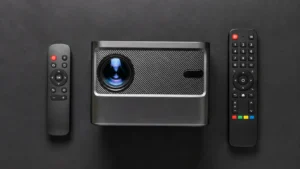
AAA batteries — this resolves 80% of remote issues.
Cause 2 — IR sensor blocked: Ensure nothing is
blocking the IR receiver on the front of the projector. Direct
sunlight on the IR receiver can also interfere with remote
operation.
Cause 3 — Remote damaged: If the remote has been
dropped or exposed to water, internal components may be damaged.
Digital Minds India stocks replacement remotes for all major
projector brands — browse our
projector remote range to find the right replacement.
When to Call a Professional Projector Repair Service
While many projector problems can be resolved with the DIY fixes
above, some issues require professional diagnosis and repair:
- Projector completely dead — no power response
- No image after checking all inputs and cables
- DLP chip or LCD panel failure
- Motherboard or control board failure
- Colour wheel replacement
- Internal cleaning and servicing
- Physical damage — lens, casing, ports
Digital Minds India provides expert
projector repair services for all major brands across India.
We offer free diagnosis, transparent estimates and a 90-day
warranty on all repairs. Based in Kalkaji, New Delhi —
customers across India can ship their projector to us
for repair.
Call +91 8287463377 or WhatsApp
+91 9988767993 — Monday to Saturday,
11am to 7pm — for a free consultation before sending
your projector in for repair.
Projector Repair Cost Guide — India 2026
| Repair Type | Estimated Cost | DIY Possible? |
|---|---|---|
| Lamp replacement | ₹2,500 – ₹8,000 | Yes — with guidance |
| Remote replacement | ₹800 – ₹1,800 | Yes — buy online |
| Power supply repair | ₹1,500 – ₹4,000 | No — professional only |
| HDMI port replacement | ₹800 – ₹2,000 | No — professional only |
| Colour wheel replacement | ₹2,000 – ₹5,000 | No — professional only |
| DLP chip repair | ₹3,000 – ₹8,000 | No — professional only |
| Motherboard repair | ₹2,500 – ₹6,000 | No — professional only |
| Internal cleaning & service | ₹500 – ₹1,500 | Partial — lens only |
Frequently Asked Questions — Projector Repair
Q. How much does projector repair cost in India?
Projector repair costs range from ₹500 for basic cleaning to
₹8,000 for complex repairs like DLP chip or motherboard replacement.
Digital Minds India provides free diagnosis and a detailed estimate
before starting any repair work.
Q. Is it worth repairing an old projector?
For projectors under 8 years old in otherwise good condition —
repair is almost always more economical than buying new.
A ₹2,000–₹4,000 repair can restore years of additional
life to a projector that would cost ₹15,000–₹30,000 to replace.
Q. Can I repair my projector myself?
Lamp replacement, remote replacement and lens cleaning are
DIY-friendly repairs. Power supply, motherboard, DLP chip
and LCD panel repairs require professional expertise and
should not be attempted at home.
Q. How long does projector repair take?
Most repairs at Digital Minds India are completed within
3–7 working days. Complex repairs requiring imported spare
parts may take longer — we keep you updated throughout.
Q. Do you provide a warranty on projector repairs?
Yes — all repairs by Digital Minds India come with a 90-day
service warranty covering the specific fault repaired.
Q. Can you repair projectors from outside Delhi?
Yes — customers from across India can ship their projector
to our Kalkaji, New Delhi service centre. We provide safe
return packaging and doorstep delivery after repair.
Call +91 8287463377 to arrange.