Is your projector showing a dim image, flickering screen, or refusing to turn on?
Chances are your projector lamp needs replacement. A failing projector lamp is the
most common reason for projector performance issues — and the good news is that
replacing it is straightforward, affordable and brings your projector back to
full brightness immediately.
At Digital Minds India, projector lamp replacement is one of our most requested
services. In this guide we’ll walk you through the 6 clear warning signs that your
projector lamp needs replacing, how to check your lamp hours, and exactly how to
replace the lamp yourself at home.
How Long Does a Projector Lamp Last?
Traditional lamp-based projectors use high-pressure mercury or UHP lamps that
typically last between 2,000 and 5,000 hours depending on:
- Usage mode — Eco mode extends lamp life significantly vs
Standard or Bright mode - Ventilation — poor ventilation and dust buildup reduce
lamp life - Brand and model — premium brands like Epson and BenQ
typically have longer rated lamp lives - Usage pattern — frequent short sessions are harder on
lamps than longer continuous sessions
At 3–4 hours of daily use, a 3,000-hour lamp lasts approximately 2–3 years
before needing replacement. Most projectors display a lamp hours counter in
the settings menu so you can track usage accurately.
6 Clear Signs Your Projector Lamp Needs Replacement
Sign 1 — Dim or Faded Image
This is the most common and earliest sign of a failing lamp. If your projector’s
image looks noticeably darker than when it was new — even in a fully dark room with
brightness set to maximum — the lamp is losing output power and approaching
end of life.
A new projector lamp at full brightness should produce a sharp, vivid image
visible from across the room. If you find yourself dimming the lights more and
more just to see the image clearly, the lamp needs replacement.
Sign 2 — Lamp Warning Light On
Every projector has a lamp indicator light on its body — usually orange or red
when something is wrong. A solid or flashing lamp warning light is your projector
directly telling you the lamp needs attention.
Check your projector’s user manual to understand what each lamp light pattern
means for your specific model. Common patterns:
- Solid orange/red lamp light — lamp hours reaching end
of rated life - Flashing lamp light — lamp has failed or overheated
- Lamp light + power light flashing together — lamp
failure, projector won’t start
Sign 3 — Colour Problems — Washed Out or Yellowish Image
As projector lamps age, the colour temperature changes — producing images that
look yellowed, washed out, or with incorrect colour balance. If skin tones look
orange, whites look yellow, or colours generally look dull and inaccurate —
the lamp is degrading.
This happens because the lamp’s phosphor coating breaks down over time,
shifting the colour output away from its original calibrated balance.
Sign 4 — Projector Shuts Down Automatically
If your projector turns itself off after a few minutes of use — especially
accompanied by a flashing lamp light — the lamp is overheating or has reached
a critical failure point. The projector’s protection circuit is shutting it
down to prevent damage.
Don’t keep trying to restart it repeatedly — this can damage the lamp
housing and in extreme cases the projector itself. Replace the lamp first.
Sign 5 — Projector Won’t Turn On At All
If you press the power button and the projector won’t start — no image,
no fan noise — and the lamp warning light is on, the lamp has completely
failed. This is a sudden lamp death which can happen without warning,
especially in lamps that have exceeded their rated hours.
Sign 6 — Lamp Hours Counter Reaching Limit
The most proactive way to know when your lamp needs replacement is to
check the lamp hours counter regularly. Access it through your projector’s
menu — usually under Info, Status or Settings.
Check your projector’s user manual for the rated lamp life. When you
reach 80% of the rated lamp hours — it’s time to order a replacement lamp
so you have it ready. Don’t wait for complete failure.
How to check lamp hours on popular projector brands:
- Epson: Menu → Info → Lamp Hours
- BenQ: Menu → System Setup → Information → Lamp Hours
- Sony: Menu → Setup → Status
- NEC: Menu → Info → Usage Time
- Optoma: Menu → Status → Lamp Hours
- Panasonic: Menu → Projector Setup → Status
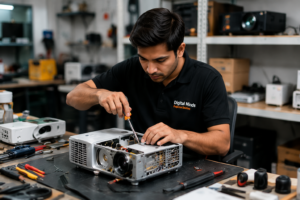
How to Replace Your Projector Lamp — Step by Step
Replacing a projector lamp is a straightforward process that most people
can do at home in under 15 minutes. Here’s the general process that works
for most projector brands:
- Power off completely — turn off the projector and
unplug from power. Allow to cool for at least 30–45 minutes. Never
attempt lamp replacement on a hot projector — the lamp runs at extremely
high temperatures - Locate the lamp cover — usually on the bottom or
side of the projector. Refer to your user manual for the exact location
on your model - Remove the lamp cover — unscrew the lamp cover
screw and slide or lift off the cover - Remove the old lamp module — unscrew the lamp
retaining screws (usually 2–3 screws). Pull out the old lamp module
using the handle or grip — never touch the lamp glass with bare hands - Insert the new lamp module — slide the new lamp
in firmly until it seats correctly. Replace the retaining screws - Replace the lamp cover — replace and tighten
the cover screw - Power on and reset lamp hours — turn on the
projector. Go to Menu → Reset → Lamp Hours to reset the counter
to zero. This is important — if you don’t reset, the projector
will continue to show the old lamp hours
⚠️ Important: Always handle projector lamps with
care. Never touch the lamp glass with bare hands — skin oils create
hot spots that can cause the lamp to fail prematurely. Handle by
the base or use gloves.
Where to Buy Genuine Projector Replacement Lamps Online in India
Digital Minds India stocks compatible and original replacement projector
lamps for all major brands — NEC, Epson, BenQ, Sony, Optoma, Hitachi,
Acer, Panasonic and more.
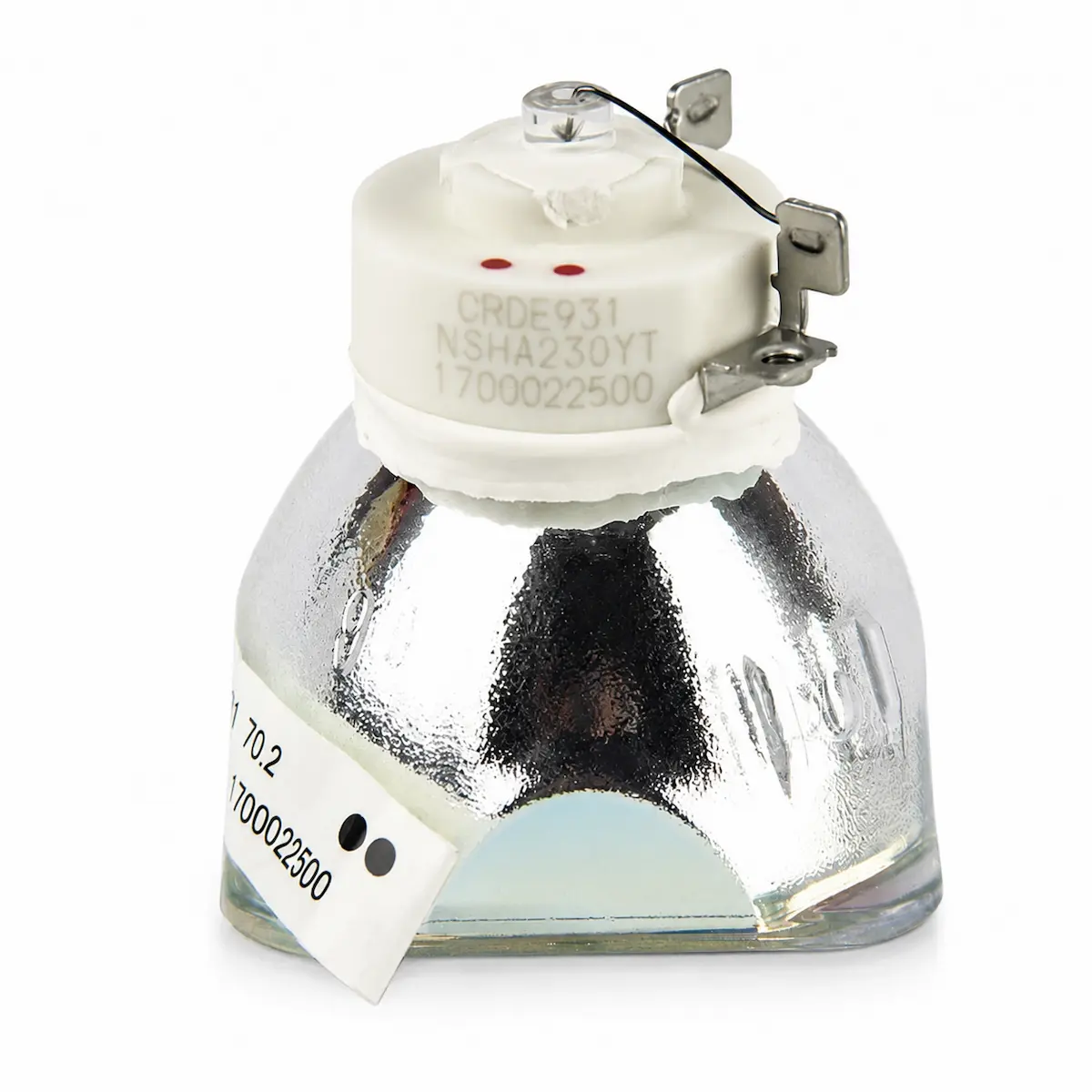
Our most popular lamp replacement is the
NP15LP Compatible Projector Lamp for NEC M230X, M260W, M260X, M271X and M300X
— a high-quality compatible lamp that meets OEM specifications for brightness
and lamp life at a fraction of the original NEC lamp price.
Browse our complete
projector lamp replacement range or call us on
+91 8287463377 — tell us your projector brand and model
number and we’ll confirm the right lamp for you before you order.
Need Professional Projector Lamp Replacement?
Not comfortable replacing the lamp yourself? No problem. Digital Minds
India provides professional
projector lamp replacement and repair services for all major brands
across India. Drop off your projector at our Kalkaji, New Delhi service
centre or ship it to us from anywhere in India.
Call +91 8287463377 or WhatsApp +91 9988767993
to book a lamp replacement — Monday to Saturday, 11am to 7pm.
Frequently Asked Questions — Projector Lamp Replacement
Q. How much does projector lamp replacement cost in India?
Projector lamp replacement costs between ₹2,500 and ₹8,000 depending on
the brand and lamp model. Compatible lamps are significantly more affordable
than original OEM lamps while delivering equivalent brightness and lamp life.
Q. Can I use my projector with a failing lamp?
We strongly advise against it. Using a failing lamp can cause overheating,
damage to the lamp housing and in worst cases damage to the projector’s
optical components. Replace the lamp as soon as you notice warning signs.
Q. How do I know which replacement lamp to buy for my projector?
Check your projector’s model number (on the label on the bottom or back)
and look up the compatible lamp number in your user manual or on the
manufacturer’s website. Or simply call Digital Minds India on
+91 8287463377 — share your projector model and we’ll confirm the
correct lamp for you.
Q. Is it worth replacing a projector lamp or should I buy a new projector?
For projectors under 5 years old and in otherwise good working condition —
lamp replacement is almost always more economical than buying a new projector.
A ₹3,000–₹5,000 lamp replacement can give your projector another 3,000+ hours
of life, which is 3–4 more years of regular use.
Q. Do new LED projectors need lamp replacement?
LED projectors like the ZEGO A002, A004, P1 and X1 use LED light sources
rated at 30,000–40,000 hours — equivalent to over 10 years of daily use.
They do not require lamp replacement during their operational life.